Many people forget their mobile number, especially when they use multiple SIM cards or buy a new phone. This is very common with prepaid SIM users. This guide explains how to check Ufone SIM number using simple and safe methods that work across Pakistan.
If you recently changed your phone, inserted a new SIM, or lost your SIM card, knowing how to check Ufone SIM number becomes very important. You need your number for verification, online forms, banking, and many daily tasks.
You May Like: sim owner details online check
Why People Forget Their Ufone SIM Number
People use many SIM cards today. Some use one SIM for calls and another for data. Others buy a SIM for temporary use and forget the number later.
Some people do not save their own number in their phone. Others change phones and lose saved contacts. That is why forgetting your SIM number is very common.
Why It Is Important to Know Your SIM Number
Your SIM number is your mobile identity. Many services require your mobile number for login or verification.
Banks, mobile wallets, government services, and social media all require phone numbers. If you forget your number, you may face problems accessing your accounts.
Knowing how to check Ufone SIM number helps you avoid these problems.
How to Check Ufone SIM Number Using USSD Code
This is the easiest and fastest method.
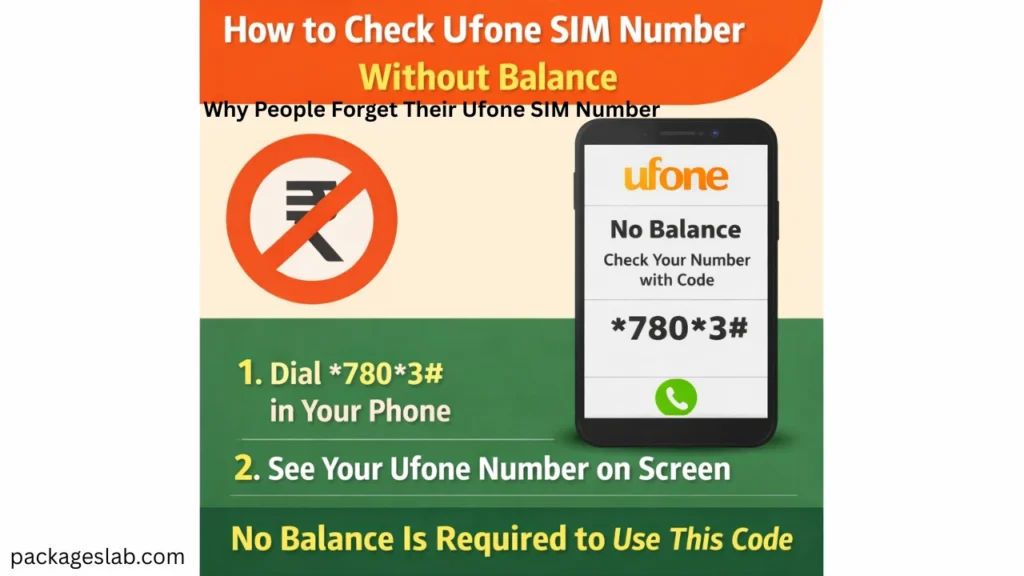
Open your phone dialer. Dial:
7803#
Press the call button.
Within seconds, your Ufone number will appear on the screen. This method works on all phones and does not require internet or balance.
This method is safe and official.
Check Ufone SIM Number by Calling Another Phone
You can call any nearby phone.
Insert your Ufone SIM into your phone. Call a friend or family member. Your number will appear on their screen.
Ask them to read your number back to you.
This method is helpful when the USSD code does not respond.
Check Ufone SIM Number by Sending SMS
Open your message app.
Send a blank SMS to a friend or another phone.
The receiver will see your number and can tell it to you.
This works if your SIM allows SMS.
Check Ufone SIM Number from Phone Settings
Many smartphones show the SIM number in settings.
Go to Settings. Tap About Phone. Open SIM Status. Look for Phone Number.
This method depends on your phone model. Sometimes the number is not stored, so it may not appear.
Check Ufone SIM Number Without Balance
You do not need balance to check your number.
The USSD method works without balance. Phone settings also work without balance.
Calling another phone needs some balance, but the other methods do not.
Check Ufone SIM Number on a Locked Phone
If your phone is locked and you cannot open it, remove the SIM.
Insert the SIM into another unlocked phone.
Use the USSD code or make a call to check the number.
Check Ufone SIM Number on Dual SIM Phones
Many phones have two SIM slots.
Go to Settings. Tap SIM Manager. Select SIM 1 or SIM 2.
Check which SIM is Ufone and see its number.
This avoids confusion between different networks.
Check Ufone SIM Number on Feature Phones
Feature phones also support USSD.
Open the dialer. Dial 7803#. Press call.
Your number will appear on the screen.
Check Ufone SIM Number Using CNIC
You can check your registered numbers using your CNIC.
Open the official telecom verification system.
Enter your CNIC. It shows all numbers registered on your name, including Ufone.
This helps when the SIM is lost or not with you.
How to Check Ufone SIM Number for a Lost SIM
If your SIM is lost, you cannot dial from it.
Use CNIC verification to see your number.
Visit a Ufone service center with your CNIC to recover the SIM.
How to Check Ufone SIM Number Through Customer Support
Call Ufone customer care from another Ufone SIM.
Provide your CNIC details for verification.
They can tell you your registered Ufone number.
Check Ufone SIM Number When SIM Is Inactive
If the SIM is inactive, USSD may not work.
Use CNIC verification or visit a service center.
You may need to reactivate the SIM.
Check Ufone SIM Number When Phone Is Broken
If your phone is broken, remove the SIM.
Insert it into another phone.
Use USSD or make a call.
How to Check Ufone SIM Number for Online Forms
You can copy your number after checking it.
Save it in your phone contacts.
Use it for online registrations and forms.
How to Save Your SIM Number for Future
Save your number in your phone contacts.
Name it “My Number”.
This prevents forgetting again.
Common Problems While Checking SIM Number
Sometimes the USSD code does not respond due to network issues.
Restart your phone and try again later.
Sometimes the number does not show in settings. This is normal.
Security Tips While Checking SIM Number
Never share your CNIC with unknown people.
Avoid entering your CNIC on unknown websites.
Use only official channels.
Benefits of Knowing Your SIM Number
Verify SIM ownership easily.
Update your contact details.
Protect yourself from SIM misuse.
Frequently Asked Questions
Can I check Ufone SIM number without balance?
Yes, USSD works without balance.
Can I check number without phone?
Yes, use CNIC verification.
Can I check Ufone number from another network?
No, you must use Ufone SIM or CNIC.
Can I check if SIM is on my name?
Yes, via CNIC verification.
Final Words
Now you know all the methods for how to check Ufone SIM number safely and easily. You can use USSD, phone calls, settings, CNIC verification, or service centers depending on your situation.
Always save your number after checking it to avoid forgetting again. Use secure methods and protect your personal information.
If you ever forget again, return to this guide and follow the steps for how to check Ufone SIM number quickly and safely.
People Aslo Read: onic packages
